
There's a phase almost every growing business hits: revenue is climbing, the team is expanding, but operations feel more chaotic than ever. Customer data is scattered across different spreadsheets, warehouse stock doesn't match sales records, and decisions get made on gut feeling because the data you actually need is spread across too many places. That's usually a sign your business needs a more structured management system — ERP, CRM, or a combination of both.
This guide covers all three terms in depth — what sets them apart, when you actually need them, and how to start the transition without throwing your daily operations into chaos along the way.
Table of Contents
- Three Terms That Get Mixed Up: ERP, CRM, and Business Management Systems
- When Does Your Business Actually Need One of These Systems?
- Digital System Adoption Data Among Indonesian Businesses
- The Scope of Business Management Systems: A Topic Map
- ERP vs CRM: Which One Should You Implement First?
- How to Get Started: A Realistic, Phased Approach
- Phase 1: Audit Your Current Processes
- Phase 2: Start With One Module, Not Everything at Once
- Phase 3: Migrate Data in Stages, With Verification
- Phase 4: Evaluate and Adjust After 2-3 Months
- Common Challenges During Implementation
- Examples of Systems We've Designed for Similar Needs
- Cloud vs On-Premise: Infrastructure Choices for These Systems
- Frequently Asked Questions
- Do small businesses need ERP or CRM, or is this just for large companies?
- How long does a realistic ERP or CRM implementation take?
- Can ERP and CRM integrate with each other?
- Can ERP/CRM systems connect with the POS app we're already using?
- What's the average cost of implementing ERP or CRM for a mid-sized business?
- If Your Business Needs Are Specific
Three Terms That Get Mixed Up: ERP, CRM, and Business Management Systems
ERP (Enterprise Resource Planning) is a system that integrates core business processes — finance, production, inventory, human resources — into one centralized platform. CRM (Customer Relationship Management) focuses specifically on managing customer relationships — interaction history, sales pipeline, follow-ups. Business management system is the broader umbrella term, covering every type of system that helps manage operations — including ERP and CRM, but also more specific systems like project management or quality management.
In short: ERP handles 'how your business runs internally', CRM handles 'how your business connects with customers externally', and business management system is the umbrella category that covers both, plus other supporting systems. All three are rooted in the same discipline of management — just translated into digital tools you can use every day.
When Does Your Business Actually Need One of These Systems?
- Customer data is scattered across too many places (spreadsheets, phone notes, a salesperson's memory) and it's hard to track who was contacted and when.
- Warehouse stock and sales records are frequently out of sync, causing unnoticed overstock or stockouts.
- Financial reports take a long time to compile because data has to be gathered manually from various sources.
- Your team has grown past 10-15 people and cross-department coordination is starting to feel heavy without a centralized system.
- Your business has more than one location/branch that needs consolidated data visibility.
If at least two of these five signs sound like your business right now, that's a strong signal it's time to consider a more structured system. The longer you delay the transition, the larger the volume of messy data you'll eventually have to clean up — so it's better to start now while the scale is still relatively manageable.
Digital System Adoption Data Among Indonesian Businesses
Transitioning to a structured management system is still a challenge for many Indonesian businesses. Data from the Ministry of Cooperatives and SMEs shows that out of roughly 64.2 million MSME units, only around 25.5 million had integrated into the digital ecosystem as of mid-2024. Meanwhile, Bank Indonesia recorded that 1,655 MSMEs actively transacting through digital channels saw revenue grow 29.9% year-on-year during the 2025 Karya Kreatif Indonesia period — pointing to a strong correlation between moving to a more structured system and measurable business growth.
The Scope of Business Management Systems: A Topic Map
The 'business management system' category covers several sub-systems that complement each other. We'll cover each one in full in separate upcoming articles:
- ERP — integrating core business processes: finance, production, inventory, and human resources into one centralized platform.
- CRM — customer relationship management, from first contact all the way through long-term transaction history.
- Warehouse/inventory management — a sub-system that's often part of ERP, but can also stand alone for businesses focused on logistics/stock.
- Other types of business management systems — project management, quality management, asset management, and other variations.
ERP vs CRM: Which One Should You Implement First?
This question comes up a lot, and the answer depends on your business's most pressing problem. If your main issue is internal operations — stock out of sync, financial reports a mess, weak coordination between divisions — starting with ERP makes more sense. If your main issue is on the sales side — leads slipping through, inconsistent follow-ups, scattered customer data — CRM is more urgent to implement first.
Many businesses end up implementing both, but rarely at the same time from the start. A more realistic approach: solve the most pressing problem first, let the team adjust, then add the second system once the first one is running stably.
The most successful business management systems aren't the ones with the most features — they're the ones the whole team actually uses consistently.
How to Get Started: A Realistic, Phased Approach
Phase 1: Audit Your Current Processes
Before choosing any system, map out the workflows you already have — how customer data is currently recorded, how stock is tracked, how financial reports get put together. This audit helps you clearly see which points are actually the most problematic, instead of guessing which module you need most.
Phase 2: Start With One Module, Not Everything at Once
The temptation to roll out a full system with every module at once often ends in failure — too much change at the same time overwhelms the team. Pick the single most pressing area (usually CRM for sales problems, or inventory management for stock problems), stabilize it first, then expand into other modules.
Phase 3: Migrate Data in Stages, With Verification
Don't migrate all historical data at once without verification. Start with the most critical data (active customers, current stock), verify its accuracy, then migrate less urgent historical data afterward. This reduces the risk of major data errors that are hard to trace back if everything gets moved at the same time.
Phase 4: Evaluate and Adjust After 2-3 Months
After the system has been running for a few months, re-evaluate: which modules is the team actually using, which ones are being ignored, and why. This evaluation often reveals configuration adjustments or extra training needs that weren't obvious at the start of implementation.
Common Challenges During Implementation
- Resistance from teams already comfortable with the old way of working (spreadsheets, manual notes).
- Messy old data that's hard to migrate cleanly into the new system.
- Expecting instant results, when the full benefits usually only show up after several months of consistent use.
- Choosing a system that's too complex for your current business scale, which slows adoption and creates confusion.
Overcoming these challenges takes a phased approach — start with the most critical module, involve the team from the selection process onward, and allow realistic time to adapt before judging whether the system succeeded or not.
Examples of Systems We've Designed for Similar Needs
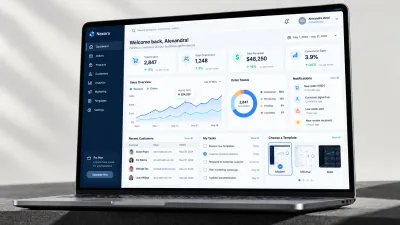
As a concrete example, we have design concepts for more structured business management needs — such as manufacturing inventory and production management or CRM for businesses with complex sales pipelines. These are illustrations of the approach, not off-the-shelf products, but they can serve as a reference if your business needs are specific enough.
Cloud vs On-Premise: Infrastructure Choices for These Systems
Like POS apps, ERP and CRM systems are also available as cloud (subscription-based, accessed via browser) or on-premise (installed and managed on the company's own servers) models. The cloud model is more popular for small-to-medium businesses because it doesn't require investing in server infrastructure or a dedicated IT team — the provider handles server maintenance and security.
The on-premise model still makes sense for companies with very strict data-control requirements (due to specific industry regulations, for example) or that already have mature internal IT infrastructure. The trade-off: upfront costs are much higher and maintenance responsibility falls entirely on the internal team, but you get full control over your data and more freedom to customize the system.
Frequently Asked Questions
Do small businesses need ERP or CRM, or is this just for large companies?
It's not about company size, it's about operational complexity. A small business with simple processes might not need it yet, but a fast-growing small business with many customers and transactions could already need a simplified version of these systems.
How long does a realistic ERP or CRM implementation take?
For small-to-medium businesses, a basic implementation usually takes 1-3 months including data migration and team training. For large companies with complex processes, it can take 6 months or longer.
Can ERP and CRM integrate with each other?
Yes, and ideally they should — customer data from CRM can connect with transaction and financial data in ERP, giving you a complete view of the business instead of separated data across two different systems.
Can ERP/CRM systems connect with the POS app we're already using?
It depends on the system, but this is a fairly common combination businesses want — especially retail or F&B businesses that want transaction data from their POS app to automatically flow into the ERP system for bookkeeping, without manual re-entry. Make sure to check for this integration upfront if it's something you need.
What's the average cost of implementing ERP or CRM for a mid-sized business?
It varies widely depending on the number of modules and users, ranging from monthly per-user subscriptions for simple cloud solutions to custom development investment for more complex needs. The most accurate way to get a cost estimate is to consult directly with a provider based on your business's specific requirements.
If Your Business Needs Are Specific
Many businesses have unique processes that generic ERP/CRM solutions on the market don't fully address. Our team at Altive Dev can help design a custom business management system that fits your company's specific workflow. Tell us what you need, and we'll help map out the solution.


Comments
Got a question or feedback? Leave a comment!